VirelaRequest demo

Behind the booking / OpenDental

See the work.
Understand every step.

Virela works through the EHR interface. Here’s what it looks for, how it moves through the workflow, and what it needs to verify along the way.

01

Verify the patient and treatment.

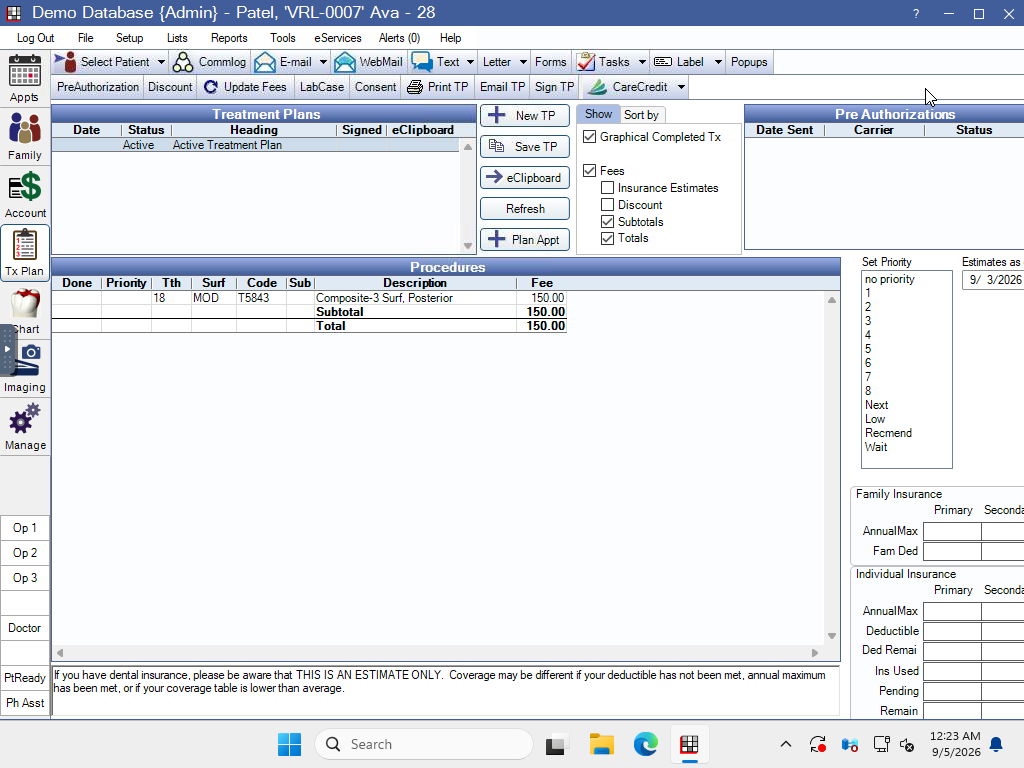
The workflow starts with the intended patient. It verifies that the patient is active, has unfinished treatment, and has no future appointment before making a call. The available appointment times were extracted earlier, so the schedule does not need to be scanned again.

OpenDental treatment plan for synthetic patient Ava Patel, VRL-0007, showing a planned posterior composite on tooth 18
  1. 1Match the intended record

    Looks for: The exact patient identity associated with the configured contact.

    Does: Select the patient and verify their ID and name in OpenDental.

  2. 2Confirm unfinished treatment

    Looks for: Planned procedures in the active treatment plan.

    Does: Confirm the visible procedure count matches the eligibility information.

  3. 3Read the scheduling details

    Looks for: Procedure codes and the patient’s primary provider.

    Does: Build the verified patient information needed to find suitable appointment options.

02

Match the treatment to available time.
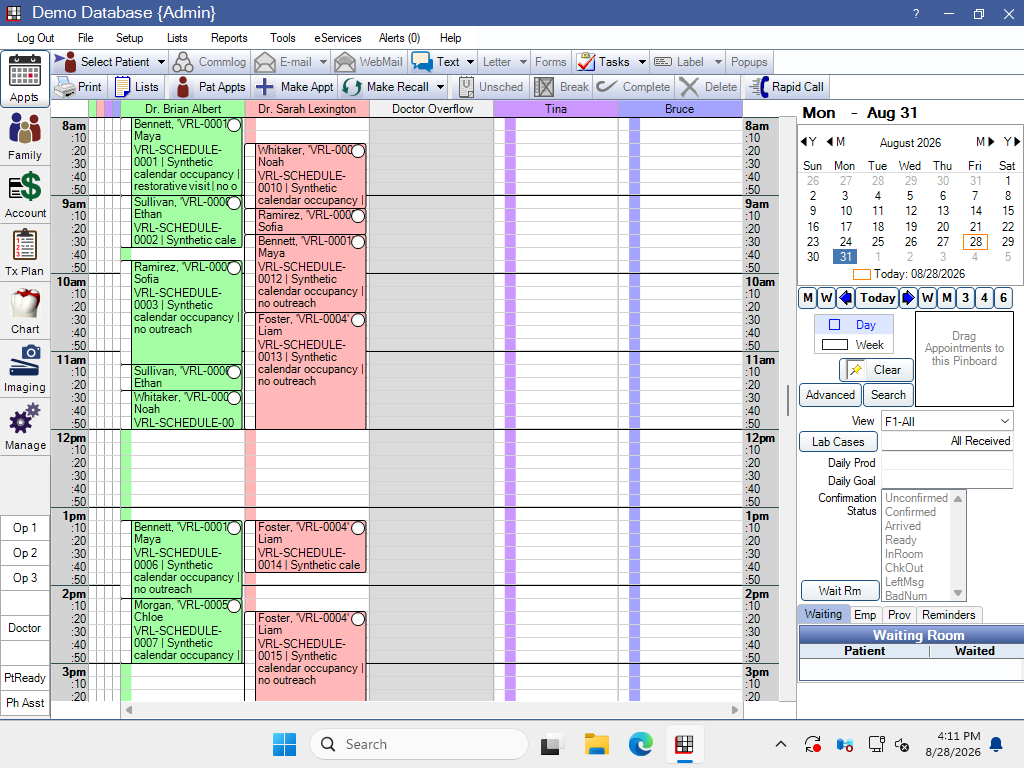
The workflow uses the previously extracted appointment times. It matches the patient’s treatment to the correct provider and a continuous 30-minute opening, then prepares suitable options for the call.

OpenDental demo schedule with provider columns and appointment blocks
  1. 1Previously extracted availability

    Looks for: Available dates, providers, and start and end times extracted earlier.

    Does: Use the existing availability without reopening or rescanning the schedule.

  2. 2The treatment’s provider

    Looks for: Openings assigned to the patient’s planned provider.

    Does: Exclude times belonging to other providers or appointment types.

  3. 3A complete 30-minute opening

    Looks for: Three adjacent 10-minute openings for the same provider and location.

    Does: Combine them into a valid appointment and prepare a morning and afternoon choice when available.

03

Make the offer. Hear the answer.

The agent uses the eligible patient and supplied availability to offer an appointment over the phone. A confirmed choice must reach the booking handoff; a completed call alone is not a completed booking.

Recorded demo call

Listen to the decision happen.

The patient voice is published with consent. All patient details used in this demonstration are synthetic.

0:00 / 0:00

04

Put it on the schedule. Check the result.
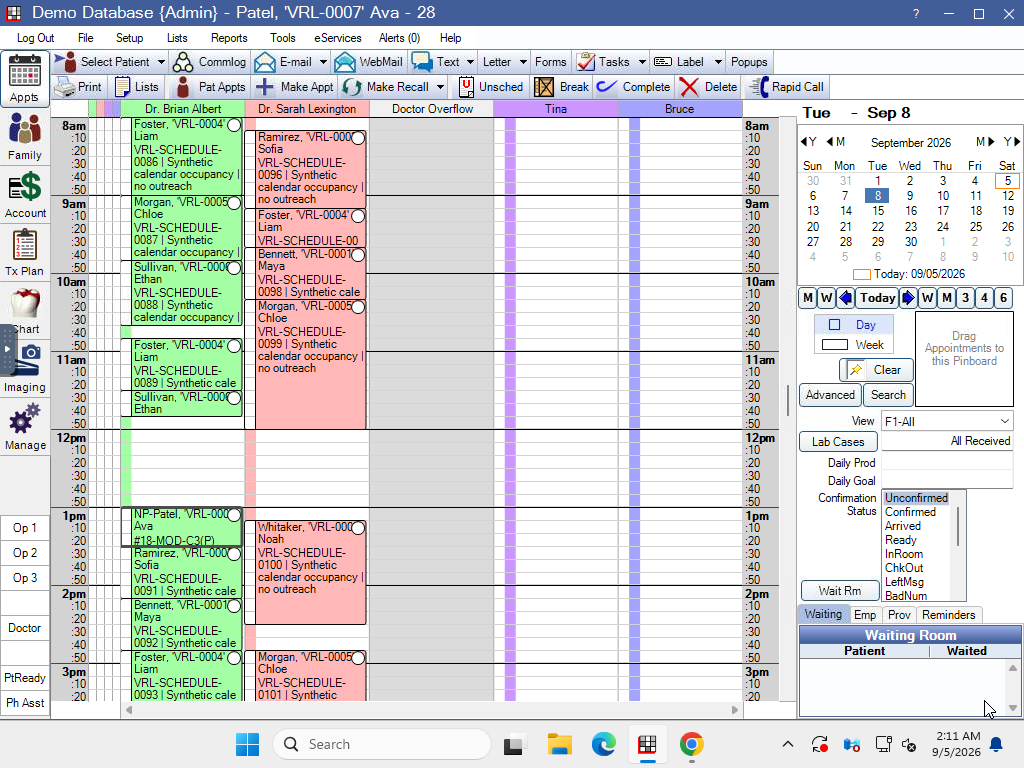
In this recorded demo, the agent enters the confirmed appointment through OpenDental’s interface using the supplied availability. Patient, provider, date, start time and duration must match the confirmed choice.

Saved appointment for synthetic patient Ava Patel on September 8, 2026, from 1:00 to 1:30 PM under Dr. Brian Albert in OpenDental
Verified result from the same synthetic-patient run shown above. Highlighted regions identify the saved appointment evidence.
  • Ava Patel · Dr. Brian Albert · 1:00–1:30 PM (30 minutes)
  • September 8, 2026

See Virela in action

See what Virela could take off your team’s plate.

Start with one workflow. Keep every handoff clear.

Request demo